There are five WordPress plugins worth knowing about if you are looking for the best WordPress PWA plugins in 2026, and one of them is ours. We make Progressify, so you should read this comparison with that in mind. To keep it fair, every competitor fact below comes from that plugin’s own WordPress.org page, website or documentation as of 25 Oct 2026, and our own figures come from Progressify’s WordPress.org page, documentation and pricing page, and where something could not be confirmed we say so instead of guessing.
The short version: all five can turn a WordPress site into an installable app. They differ in how much comes in the free version, how push notifications work, what the paid tier costs, and how much track record the plugin has. The right choice depends on your site, not on a leaderboard.
What every WordPress PWA plugin has to do
Before comparing, it helps to know the baseline. A PWA plugin has to generate a web app manifest (name, icons, colors, display mode), register a service worker for caching and offline pages, and give visitors a way to install. If a plugin does those three things well, it is a real PWA plugin. Everything beyond that is a bonus, and the bonuses are where the plugins separate.
Two rules apply to all of them. Your site needs HTTPS, because browsers only register service workers on secure origins. And you should run only one PWA plugin at a time, because two service workers competing for the same scope behave unpredictably.
The five plugins at a glance
Figures are from each plugin’s WordPress.org listing on 25 Oct 2026. Active installs are shown as WordPress.org rounds them.
| Plugin | Active installs | Rating | Last updated | Paid tier |
|---|---|---|---|---|
| SuperPWA | 40,000+ | 4.6 of 5 (225 ratings) | 19 Oct 2026 | From $99 |
| PWA for WP | 10,000+ | 4.6 of 5 (230 ratings) | 13 Oct 2026 | From $99 for 1 site |
| PWA (community feature plugin) | 20,000+ | 4.3 of 5 (27 ratings) | 10 Apr 2025 | None listed |
| Hyper PWA | 400+ | 4.7 of 5 (12 ratings) | 10 Oct 2026 | From $99 a year |
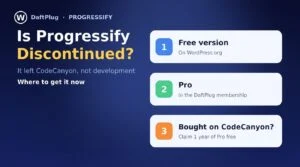
| Progressify | 100+ | 5.0 of 5 (4 ratings) | 24 Oct 2026 | $37.99 a year, includes four other plugins |
Install counts and ratings measure popularity and track record, not quality. They are still worth weighing. A plugin on 40,000 sites has been tested against far more themes and hosts than one on 100.
SuperPWA: the familiar default
SuperPWA is the best-known option and the safest choice if you want a plain, minimal PWA. The free version generates the manifest, sets the app icon and splash screen color, shows the Add to Home Screen notice, caches pages so visited pages work offline, and lets you pick a custom offline page, the start page and the screen orientation. It also supports AMP start pages.
Its pricing page lists what the paid tier adds: Call to Actions, App Shortcuts, an Android App Generator (a one-click conversion of the PWA into an Android app that can be placed on the Play Store) and Data Analytics. The WordPress.org page also lists a Pre-Loader and a QR Code Generator as Pro features, and SuperPWA’s documentation describes an Apple App Package Generator add-on for the iOS App Store, so Pro covers both Android and iOS packaging. Licenses start at $99 a year for one site and, except the lifetime license, have to be renewed after one year to keep receiving support and updates.
Good fit: a simple site that needs the basics and a large, long-running user base behind the plugin.
Watch for: push in the free version relies on a OneSignal integration (the WordPress.org page lists no built-in push), and extras such as a pre-loader, app shortcuts and call to actions are listed as Pro, so check what you need against the Pro list before you commit.
PWA for WP: the most feature-rich on the paid side
PWA for WP, from the Magazine3 team, lists full AMP compatibility as a headline feature. The free version covers the service worker, manifest, home screen banners, offline support, a splash screen, start URL control, caching strategy and cache expiry options, swipe navigation, multisite support, UTM tracking and OneSignal support. It also includes a status dashboard that shows how complete your setup is.
The paid side is an extension model. The WordPress.org page lists premium extensions for Call to Action, a loading icon library, data analytics, pull to refresh, a scroll progress bar, PWA to APK, offline forms, a navigation bar, quick actions, multilingual support, BuddyPress, install rewards, QR codes, PWA to iOS and white-labeling. Its pricing page shows $99 for one site, $149 for ten, $299 for 25, $499 for unlimited sites and $999 for a lifetime license, with built-in push notifications and OneSignal support listed on every license. As with SuperPWA, non-lifetime licenses renew after a year.
Good fit: AMP sites, agencies that want a long list of extensions, and anyone who already uses OneSignal.
Watch for: the feature list is long, so confirm which items are in the free plugin and which are paid extensions before you plan around them.
PWA (the community feature plugin): building blocks, not a finished product
The plugin simply named PWA is different in kind. Its own description says it exists to implement PWA building blocks (service workers, a manifest and HTTPS support) with the intention of proposing them for WordPress core, and that it is not meant to replace the plugins and themes that turn a site into a PWA. It is useful for developers who want a shared service worker that other code can extend.
If you are a site owner wanting an install prompt, offline page and push, this is not the plugin for you. At the time of checking it was at version 0.8.2, last updated in April 2025 and tested up to an older WordPress release than the others list.
Good fit: developers building their own PWA layer.
Watch for: it is not a turnkey solution, and its WordPress.org page lists no paid tier.
Hyper PWA: a newer plugin with a long free feature list
Hyper PWA is newer and smaller (400+ active installs) but actively updated, at version 5.10 as of 10 Oct 2026. The free listing is detailed: manifest generation, offline mode, multiple caching strategies, pre-caching, excluding pages or file types from the cache, a custom offline page and custom 404 page, a connectivity notice, UTM tracking, screenshots, launch modes, iOS meta tags and a splash screen generator. Push notifications go through an integration with hyperpushx.com, which means a third-party service sits in the middle.
A premium version exists. Its own premium page (hyperpwa.com/premium, checked 25 Oct 2026) lists Personal at $99 a year for one site, Webmaster at $199 for 10 sites, Freelancer at $299 for 25, Agency at $499 for unlimited sites and a $999 lifetime license. Premium adds an Android APK builder, an initial loader, bottom navigation, offline forms and analytics. The site also advertises promotional discount codes, so check the current price there.
Good fit: people who want a long, free, well-documented feature list and are comfortable with a smaller user base.
Watch for: push depends on an outside service, and the install count is small, so test it on your theme.
Progressify: our plugin, with its trade-offs stated
Progressify is the one we build, so here is what it does and where it is weaker.
The free version on WordPress.org is a complete installable PWA: manifest, a Workbox-based service worker, five caching strategies (Network-First by default), an install banner, an install page with a QR code and shortcode, push notifications and analytics. The push system is the main difference from the others on this list. It sends over the Web Push protocol from your own server and stores subscriptions in your own database, so there is no third-party account, no per-message cost and no vendor subscriber cap. Free includes a notification button, a welcome notification, manual sends and a subscriber list. One limit to know about: on the free version a manual send reaches only your 20 most recent subscribers. Pro sends to the whole list, lets you choose the audience (everyone, logged in visitors, logged out visitors or a WordPress role), narrow it by device, operating system or country, and schedule the send for later.
Pro adds the extra install overlays, a navigation tab bar, dark mode, pull-down and shake refresh, offline forms, page transitions, push automations for new content, comments, WooCommerce, BuddyPress and FluentCommunity, and audience targeting and scheduling for manual pushes. Pro also includes native Android and iOS app packages that our team builds for you on request.
The trade-offs are real:
- Smallest track record. 100+ active installs and four ratings. That is early, and you should test on your own theme.
- Pro is a membership. There is no single-plugin purchase. The one license covers Progressify and the other four DaftPlug Pro plugins. That is good value if you would use more than one, and more than you need if you only want a PWA.
- Native apps are a service. Android and iOS generation is handled on request through support, not by a self-serve button, and publishing needs your own Google Play and Apple Developer accounts.
Pricing is $37.99 a year for one site (Pro), $74.99 for five (Pro Plus) and $138.99 for up to 100 (Pro Max), with a 14-day money-back guarantee. If a license lapses, your settings stay in the database and the plugin falls back to its free features. See the DaftPlug pricing page for current numbers, and the Progressify page for the feature tour.
How to choose
| If you… | Consider |
|---|---|
| Want the simplest possible PWA and a big user base | SuperPWA |
| Run AMP, use OneSignal, or want a long list of paid extensions | PWA for WP |
| Are a developer building your own PWA layer | PWA (community feature plugin) |
| Want a free plugin with a long feature list and do not mind a third-party push service | Hyper PWA |
| Want push from your own server, app-like UI and automations in one place, and can accept a newer plugin | Progressify |
If you are unsure, install two free versions one at a time on a staging site, not together, and run the same checklist on each.
Test any plugin the same way
Whatever you pick, test it as a visitor would:
- Use a private window or fresh browser profile, so nothing is cached from earlier tests.
- Open developer tools and check Application > Manifest and Application > Service Workers.
- Install it on a real Android phone and on an iPhone through Share, then Add to Home Screen.
- Turn off the connection and reload a page you already visited.
- If push matters, subscribe and send yourself a notification, on both platforms.
On iPhone, installation and offline caching work, and push notifications work from iOS 16.4 only for sites added to the home screen. That is a platform limit, not a plugin flaw, and it applies to every plugin here.
Switching plugins safely
If you are moving from one PWA plugin to another, do it in this order. Deactivate the old plugin first so only one service worker is ever active. Then, in your own browser, open Application > Service Workers and unregister the old registration, otherwise you will test against a stale copy. Visitors’ browsers pick up the new registration as they return. Our guide on fixing a WordPress PWA service worker that will not register covers the checks if the new one does not appear.
FAQ
What is the best WordPress PWA plugin? There is no single best one. SuperPWA is the most established, PWA for WP has the longest paid extension list, and Progressify is the newest option with self-hosted push. Match the plugin to the features you need.
Is there a free WordPress PWA plugin? Yes. All five plugins above have a free version on WordPress.org, and the free versions of SuperPWA, PWA for WP, Hyper PWA and Progressify all make a site installable with offline support.
Can I use two PWA plugins together? No. Two service workers compete for the same scope. Run one and unregister the other.
Do I need to pay? Not to get an installable PWA. Paid tiers add things like analytics, shortcuts, app-like interface components, store app generation or push automations, depending on the plugin.
Does a PWA plugin work with WooCommerce? Generally yes, but check how each handles cart and checkout pages before you go live. Progressify adds a checkout install overlay and WooCommerce push automations on Pro.