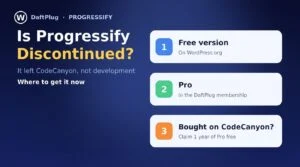
Most “free vs Pro” pages are written to make the free version look thin. This one is written the other way round. Progressify’s free plugin is a complete, working PWA, and plenty of WordPress sites never need more. The useful question is not “is Pro better” but “which of the Pro features would change anything on my site”.
Below is the free vs Pro PWA plugin split for Progressify, DaftPlug’s PWA plugin, taken from the shipped 1.5.2 code and the current documentation rather than from marketing copy. Where the docs and the code disagree, we say so and follow the code. Then we cover who should upgrade, what it costs, what happens if a license lapses and how to use the refund window well.
What the free plugin covers
The free version on WordPress.org makes a site installable, keeps visited pages available offline and lets you send push notifications from your own server. That is the whole PWA baseline, not a demo of it.
| Area | What you get free |
|---|---|
| Web app manifest | App icon (Progressify generates the sized and maskable icons from it), app name, short name, description, start page, theme color, background color. The app opens in standalone mode, in portrait. |
| Service worker and offline | A Workbox service worker with the Network-First strategy, a cache expiration time you set (10 days by default) and a built-in offline page when someone opens a page that was never cached. |
| Install prompts | The banner overlay, a full install page styled like an app store listing (it also shows iPhone visitors the Share, Add to Home Screen steps), the |
| Push notifications | Self-hosted Web Push with no third-party service and no per-message fee, a subscribe bell button, a welcome notification, a “logged in users only” switch, a subscriber list, and manual sends with a title, message and link. |
| Interface | Swipe navigation, a scroll progress bar, a page loader (six styles, including skeleton), inactive blur and a native share button. |
| App capabilities | Persistent storage, URL protocol handler, web share target and idle detection. |
| Dashboard | The PWA score on the overview page and install numbers: active PWA users, new installs in the last 30 days, best day and last install. |
Two details matter more than the rest of the table.
Free manual push sends are capped. A manual notification from the free plugin goes to your 20 most recent subscribers whose endpoints are on an allowlisted push service. The plugin says this right in the compose form, and the docs FAQ now says it too. Subscribers are not capped, only the reach of a free manual send. If you have 3,000 subscribers, a free send reaches 20 of them.
The free service worker always uses Network-First. The caching strategy dropdown is visible in the free settings screen, and the docs table lists it as free, but in the 1.5.2 code the free build always generates Network-First, and the strategy you pick only applies with Pro. For most sites that is no loss, because Network-First is the strategy the docs recommend anyway: visitors get the current page when online and the last cached copy when not. If you want to see exactly what the offline side looks like before deciding, our guide to a branded offline page and cache rules walks through the free fallback page and what Pro changes about it.
Locked settings are not hidden. They stay visible in the admin with a Pro badge, so you can see every option before paying for anything.
What Pro adds: install, push, interface and offline
The docs describe Pro as “around forty additional settings”. They fall into five groups. Here they are, grouped by the job they do rather than by settings tab.
Install prompts
Free gives you one automatic overlay, the top banner. Pro adds five more: Snackbar (a small toast at the bottom), Menu (inside your navigation), Feed (between items in a post list), Blog (inside single post content) and Checkout (on the WooCommerce checkout). Feed and Blog ask people who are already reading, and Checkout gives shoppers a concrete reason to install: tracking their order.
On the manifest side, Pro adds the other display modes (fullscreen and minimal UI), landscape and free rotation, orientation lock, the iOS status bar style, app shortcuts, store-style screenshots, categories, an IARC rating ID, related applications and the dynamic manifest.
Push notifications
This is the biggest difference in practice.
- Reach and targeting. Pro manual sends go to every subscriber in the audience you choose, not the newest 20. You can send to everyone, logged-in users, logged-out visitors or a WordPress role, narrow by device, operating system or country, and schedule the send for later. Sends run through a background queue in batches. There is no topic, interest or tag segmentation.
- Richer notifications. A large image, action buttons, the app badge count on the home screen icon and a “persistent” option that keeps the notification on screen until it is tapped.
- The notification prompt. A branded message shown before the browser’s own permission dialog. The browser only shows its dialog once, so a visitor who is not interested can dismiss your prompt without spending that one chance.
- Automations. Notifications that fire on site events with no work from you: new content (per post type) and replies in a comment thread the subscriber took part in; six WooCommerce events (price drop, sale price, back in stock and order status for customers, new order and low stock for admins); five BuddyPress events (mention, reply, direct message, friend request, friend request accepted); and new posts and comments in a FluentCommunity space, sent to that space’s members.
App-like interface
Pro unlocks the parts visitors actually see: the navigation tab bar pinned to the bottom of the screen, dark mode (with options to follow the system theme and to switch on below 10% battery), pull down refresh, shake refresh, toast messages and custom CSS and JavaScript that only load inside the installed app. In app capabilities it adds smooth page transitions, autosave for forms, vibrations, screen wake lock, background sync, periodic background sync, content indexing and the file handler.
Offline
Pro lets you choose the caching strategy (Network-First, Stale While Revalidate, Cache-First, Network-Only or Cache-Only), replace the built-in offline page with your own branded fallback page, show an offline notification when the connection drops and accept offline forms that are stored on the device and sent when the connection returns.
Everything else
- The PWA score and install totals are free; the itemized list of what is missing and detailed analytics on browsers, devices and engagement are Pro.
- Android and iOS app packages are a Pro service, not a button in the plugin. You email support with your Pro purchase email and site URL, DaftPlug builds the packages and sends them to you, and you publish them with step-by-step guides. You need your own Google Play and Apple developer accounts.
- The membership includes priority support and a white-label option, and the same license unlocks DaftPlug’s other Pro plugins.
Who should stay free, and who should upgrade
Stay on the free plugin if
- You want an installable site and offline reading, nothing more. A blog, portfolio or small business site gets the manifest, icons, install banner, install page, QR code and Network-First offline caching for free.
- Your push list is small or you rarely send. If you have a few dozen subscribers and post occasionally, the 20-subscriber cap on manual sends may not bite yet. Watch the count in the subscriber list.
- Your theme already handles navigation and dark mode. Then the Pro tab bar and dark mode add less, and two dark modes will fight.
- You are still deciding whether a PWA is worth it. Run free for a month and watch the install numbers.
Upgrade to Pro if
- Push is a real channel for you. Once your subscriber list passes 20, a free manual send stops reaching most of it. Pro sends to the full audience, and the automations remove the work entirely for new posts and replies.
- You run WooCommerce. Back in stock, price drop and order status notifications are the most direct revenue case for push, and the Checkout install overlay is Pro.
- You run a community. BuddyPress and FluentCommunity automations, the tab bar and the logged-in-only options are what make a members’ area feel like an app.
- You use standalone mode and people get lost. Standalone removes the browser’s back button. The tab bar is the cleanest fix.
- You want a store listing. The Android and iOS packages are only available with Pro.
- You manage several sites. The 5-site and 100-site plans cover client sites, and they include a white-label option.
Pricing and plans
Progressify Pro is not sold on its own. It comes with the DaftPlug membership, and every plan unlocks every DaftPlug Pro plugin. Plans differ only in the number of site activations. These are the prices on the pricing page as checked on 30 October 2026:
| Plan | Sites | Billed yearly | Billed monthly |
|---|---|---|---|
| Pro | 1 | $37.99 a year (about $3.17 a month) | $4.99 a month |
| Pro Plus | 5 | $74.99 a year (about $6.25 a month) | $9.99 a month |
| Pro Max | 100 | $138.99 a year (about $11.58 a month) | $18.99 a month |
A few terms worth knowing before you buy:
- Payment goes through Freemius, by card or PayPal. You get a license key and an account dashboard straight away.
- You can move a license between sites, and move up a plan for the prorated difference.
- Your renewal price stays at your sign-up price while the subscription runs without a break.
- Upgrading needs no reinstall. Locked settings unlock in place, keeping your configuration.
If your license lapses
This decides whether Pro is a safe bet. If you cancel, your license keeps working until the end of the period you already paid for. After that, according to the pricing page and the docs FAQ:
- Nothing is deleted. Pro settings stay in the database. The site does not break.
- Pro features stop applying, and the plugin behaves like the free version.
- Reactivating restores everything exactly as it was.
In practice, the tab bar, dark mode and other Pro interface features disappear, the service worker goes back to Network-First with the built-in offline page, push automations stop and manual sends go back to the 20 most recent subscribers. Existing subscribers stay, because subscriptions live in your own database table, not on a vendor’s server. The free features keep working, so the site stays installable and keeps working offline.
How to try Pro with the refund window
DaftPlug offers a 14-day money-back guarantee: email within two weeks and the whole subscription is refunded, with no form. Two weeks is enough to test Pro properly if you plan it. It is not enough if you install it and wait to see what happens. A plan that works:
- Before buying, set up the free plugin fully. Fill in the manifest, enable the banner, test install on Android and on an iPhone, and turn on the bell button so you start collecting subscribers. Write down your baseline: installs on the overview page and subscriber count.
- Day 1: activate Pro and pick three features that match your site, not all forty. For a store: Checkout overlay, back in stock and order status automations. For a community: tab bar, notification prompt and BuddyPress or FluentCommunity automations. For a publisher: new content automation, Feed or Blog overlay and the custom offline page.
- Days 2 to 10: run it on real traffic, one change at a time. Test the tab bar and pull to refresh on a real phone, because those are the most likely to clash with a theme.
- Days 10 to 12: compare against your baseline. Installs, subscribers, and the sent and failed summary of each push.
- Decide by day 12. That leaves two days to email for a refund if it is not paying for itself.
If you have a staging copy, test there first. The custom CSS and JavaScript fields run with no validation.
What Pro does not do
- It does not fix iPhone limits. Safari has no automatic install prompt, and web push on iOS only works for sites the visitor added to the home screen, on iOS 16.4 or later. That is true on free and Pro.
- It does not add topic or interest segmentation. Pro targets by login status, role, device, operating system and country. It does not let subscribers pick topics.
- It does not include a self-serve app builder. The Android and iOS packages are built by DaftPlug on request, and you still need your own developer accounts and store review.
- It does not make old cache rules smarter on its own. Cache-First and Cache-Only serve old pages after you edit them, until the cache expires. Choosing a strategy is a Pro option, but Network-First remains the right choice for most sites.
- It does not replace your theme. The tab bar, dark mode and transitions are layered over your theme, and gestures like pull to refresh can conflict with sliders or themes that handle their own touch events.
Free vs Pro PWA plugin FAQ
Is the free version of Progressify a trial? No. It has no time limit, and Pro settings are locked rather than removed.
Does the free plugin include push notifications? Yes. You can collect subscribers, send a welcome notification and send manual notifications. A free manual send reaches your 20 most recent subscribers on allowlisted push services; Pro reaches the full chosen audience and adds automations.
Does the free plugin work offline? Yes. It caches pages visitors have opened with Network-First and shows a built-in offline page for pages that were never cached. A custom offline page, offline notification and offline forms are Pro.
Is the bottom tab bar free? No. The navigation tab bar is a Pro feature. Swipe navigation is free.
Can I buy Progressify Pro on its own? No. Pro comes with the DaftPlug membership: 1, 5 or 100 sites, from $37.99 a year, and every plan includes all DaftPlug Pro plugins.
What happens to my subscribers if I stop paying? They stay. Subscriptions are stored in your own database table, and the free plugin keeps sending to them, within the free reach limit.
How do I judge any free vs Pro PWA plugin, not just this one? Check three things in the free version before comparing upgrades: whether push needs a third-party service, how many subscribers a manual send reaches, and whether you can test install on an iPhone with clear instructions for visitors. Those three decide most of the real cost.